| Delivery Time | Instant - 72 Hours |
|---|
Step 1
Download DC-Unlocker client here if you do not have it on your computer
https://www.dc-unlocker.com/downloads/get/3iiHuDQX
Step 2
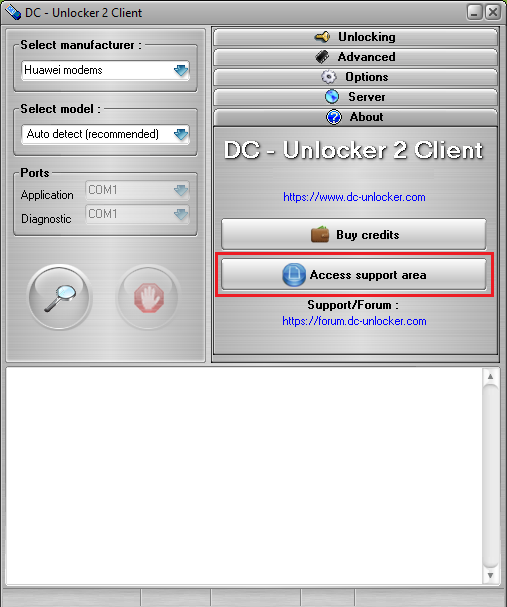
Make sure your dongle is connected to PC. then install & launch DC-Unlocker client software. Open "About tab" and press "Access support area" button
Step 3
Wait for the Support area website to open in browser. Click on "Features" on top of the page

Step 4
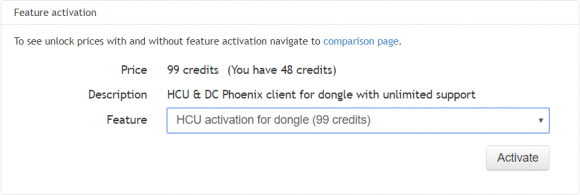
Select feature you want to activate from drop down menu list. After selection you will see how many credits you need to activate it and how many you currently have in your dongle account
Step 5
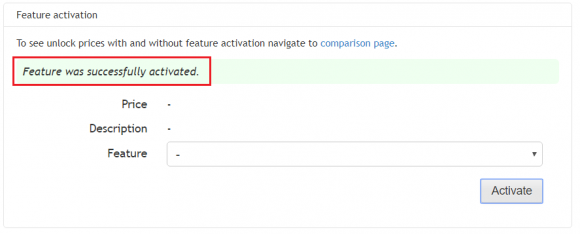
After selection of the feature from drop down item list, press "Activate", now your dongle is activated for selected feature!
Sign In
